Scientific computing with OpenMP and MPI
Science and engineering have experienced significant transformations in research, development, and technology over the past few decades. The modern scientist and engineer spend more time in front of pc, a workstation or parallel supercomputer and less time in physical laboratory or in the workshop. The methods of scientific analysis and engineering design are changing continuously affecting both our approach to the phenomena that we study as well as the range of applications that we address.
High-performance computing (HPC) has become an essential tool for accelerating scientific research and engineering application using computational method. Unlike conventional programming which serial execution, HPC focus on parallel computing leveraging clusters of server with multi-core processors and graphic processing units (GPUs) to perform large-scale computational efficiently.
In this blog post, I will introduce scientific computing concepts and discuss how technologies such as OpenMP and MPI can be used to develop efficient parallel applications and improve computational performance.
🔬 Scientific Computing concept
Scientific/research computing is the use of mathematical models, numerical methods and computer to solve scientific and engineering models.
Many real-world problem can’t be solved analytically using equations alone. Instead, computers are used to approximate solutions through numerical calculations like Machine Learning and AI.
Mathematical modelling
A real-world phenomenon is translated into mathematical equations.
Example:
- Newton’s laws for motion
- Heat transfer equations
- Population growth models
Numerical Methods
Numerical methods provide approximate solutions:
- Numerical integration
- Finite Difference Method (FDM)
- Finite Element Method (FEM)
- Iterative solvers
Environment
Usually scientific/research computing uses a SLURM and module system to load most software into a user’s environment. This allows scientific/research Computing to provide multiple versions of the software concurrently and enables users to easily switch between different versions.
To see what modules are available to load in your hpc cluster and type:
1
$ module avail
🖧 Parallel programming
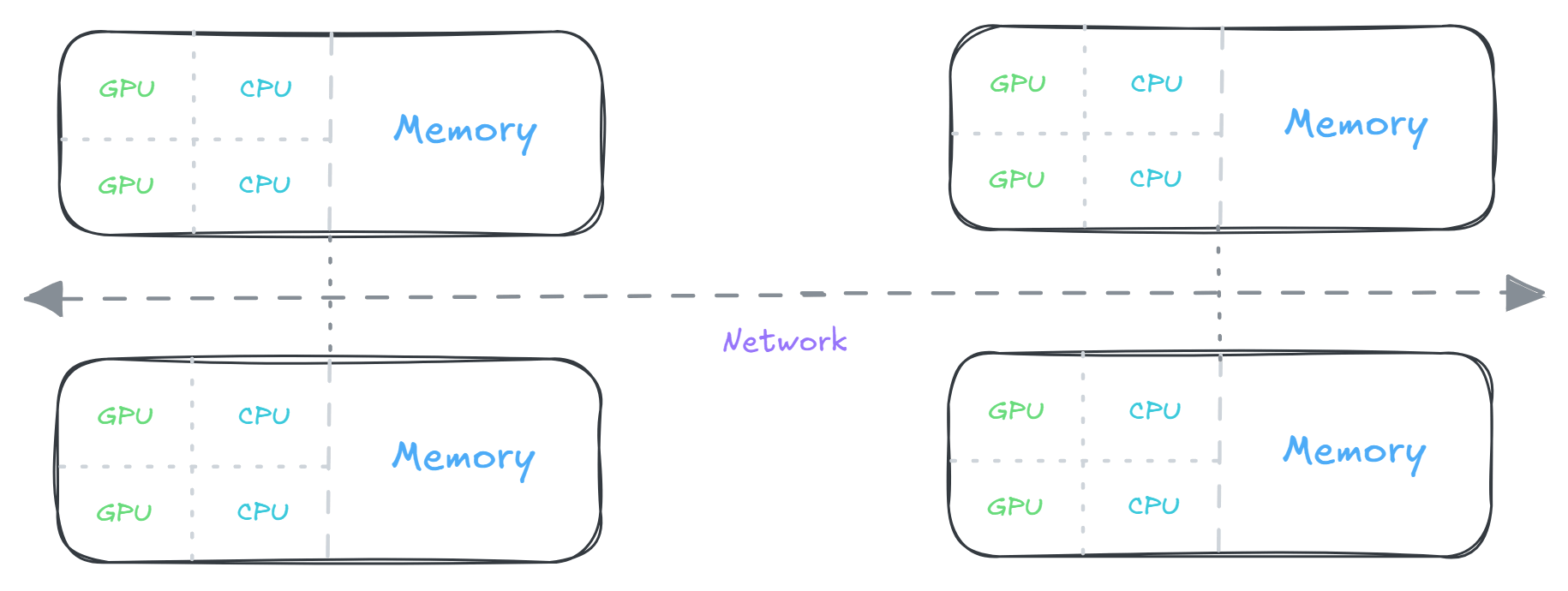
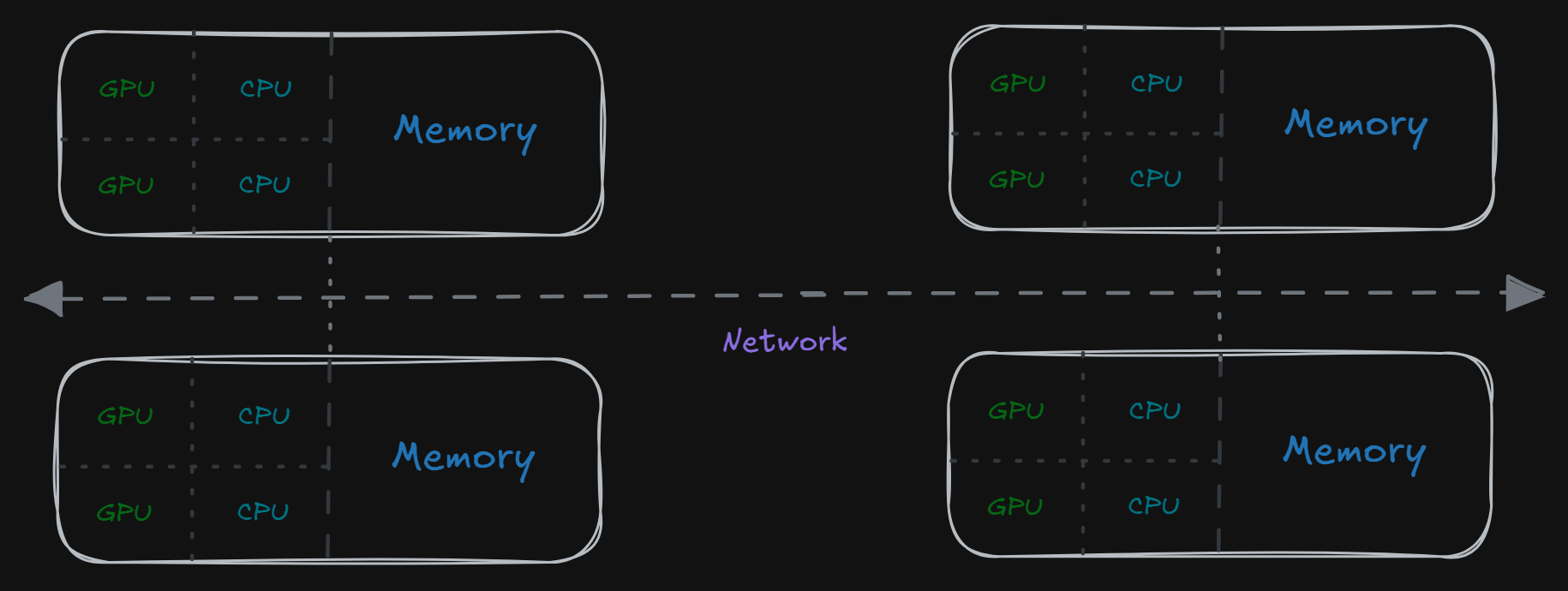
A serial process is a process that’s run by one core of one processor. This means tasks are run one after another as they appear in code.
A parallel process is a process that is divided among multiple cores in a processor or set of processors. Each sub process can have its own set of memory as well as share memory with other processes.
Because a supercomputer cluster has large network of nodes with many cores, we must implement parallelization strategies to fully utilize a supercomputing resource.
Parallel computation connects multiple processors to memory that is either pooled or connected via high speed networks. Here are 3 different types of parallel computation:
- Shared Memory Model
- In a shared memory model, all processors to have access to a pool of common memory that they can freely use.
- Distributed Memory Model
- In a distributed memory model, a separate segment of memory is available to each processor. Because memory isn’t shared inherently, information that must be shared between processes is sent over a network.
- Distributed/Shared Model
- A split distributed/shared model is a hybrid between a shared and distributed model and has the properties of both. Each separate set of processors sharing a set of common memory is called a node.
Two common solutions for creating parallel code are OpenMP and MPI. Both solutions are limited to the C/C++ or Fortran programming languages
OpenMP
Open Multi-processing (OpenMP) is compiler side application programming interface (API) for creating that runs on system multiple core/threads. OpenMP is often considered more user friendly with thread safe methods and parallel sections of code that can be set with simple scoping, also limited to the amount of threads available on a node – in other words, it follows a shared memory model.
OpenMP used shared-memory parallel programming models for developing parallel programs, It allows programmers to create multiple threads that execute concurrently on multicore processors.
There’s a key feature programming model in OpenMP:
- Thread based parallelism
- Explicit parallelism (programmer has full control)
- Fork (Join Model Execution)
OpenMP has 3 main components for implements the OpenMP API for the code:
- Compiler directive
- A special instruction (called pragmas in c/c++) to tell compiler how to parallelize parts of a program parts of a program for shared-memory multiprocessing.
The syntax begin with:
1
#pragma omp directive-name [clauses]- Runtime library routines
- Includes an ever-growing number of run-time library routines that allow a program to control and query the execution environment during run time. These functions are declared in:
1
2
3
4
 #include <omp.h>

 // Thread management routines
 omp_get_num_threads(4);
- environments variables
- provides several environment variables for controlling the execution of parallel code at runtime.
1
 $ export OMP_NUM_THREADS=4
⚙️ Example code create file openmp.c :
1
2
3
4
5
6
7
8
9
10
11
12
13
14
#include <stdio.h>
#include <omp.h>

int main() {
    #pragma omp parallel
    {
        int tid = omp_get_thread_num();
        int nthreads = omp_get_num_threads();

        printf("Hello from thread %d of %d\n", tid, nthreads);
    }

    return 0;
}
🚀 Build and run
1
2
$ gcc -fopenmp openmp.c -o openmp
$ ./openmp
MPI
Message Passing Interface (MPI) is a library standard for handling parallel processing. MPI has much more flexibility programming model in how individual processes handle memory compatible with multi-node structures, allowing for very large, multi-node applications (distributed/shared memory models).
Advantage using MPI are helps a programs to:
- Standard library for HPC
- Split large computations across many processors
- Exchange data between processes
- Performance run efficiently on supercomputer clusters
Common environment management routines:
1
2
3
4
5
6
7
8
MPI_Init();          // Start MPI
MPI_Comm_rank();     // Get process ID
MPI_Comm_size();     // Get number of processes
MPI_Send();          // Send data
MPI_Recv();          // Receive data
MPI_Bcast();         // Broadcast data to all processes
MPI_Reduce();        // Combine results
MPI_Finalize();      // End MPI
⚙️ Example code create file mpi.c :
1
2
3
4
5
6
7
8
9
10
11
12
13
14
15
16
17
#include <stdio.h>
#include <mpi.h>

int main(int argc, char **argv) {
    MPI_Init(&argc, &argv);  // start MPI

    int world_rank;
    int world_size;

    MPI_Comm_rank(MPI_COMM_WORLD, &world_rank); // get process ID
    MPI_Comm_size(MPI_COMM_WORLD, &world_size); // total processes

    printf("Hello from process %d of %d\n", world_rank, world_size);

    MPI_Finalize(); // end MPI
    return 0;
}
🚀 Build and run
1
2
$ mpicc mpi.c -o mpi
$ mpirun -np 4 ./mpi
Monte Carlo π example
Monte Carlo π estimation is one of the cleanest examples (very common in research) of probabilistic scientific computing, and it parallelizes extremely well with both OpenMP, MPI, and hybrid HPC models.
The Formula of Monte Carlo estimator for π is based on the ratio of areas: $ \pi \approx 4 \cdot \frac{N_{\text{inside}}}{N} $
🛠️ First install compiler and MPI to the hpc clusters:
1
2
3
4
5
6
7
8
9
10
11
12
13
14
15
# check available compiler modules
$ module avail gcc
$ module load gcc

# verify
$ gcc --version

# check available MPI modules you might see modules openmpi/5.0.3
$ module avail mpi
$ module load openmpi/5.0.3

# verify
$ which mpicc
$ which mpirun
$ mpicc --version
⚙️ Example code create file mcp_research.c :
1
2
3
4
5
6
7
8
9
10
11
12
13
14
15
16
17
18
19
20
21
22
23
24
25
26
27
28
29
30
31
32
33
34
35
36
37
38
39
40
41
42
43
44
45
46
47
48
49
50
51
52
53
54
55
56
57
58
59
60
61
62
63
64
65
66
67
68
69
#include <stdio.h>
#include <stdlib.h>
#include <mpi.h>
#include <omp.h>
#include <time.h>

#define TOTAL_SAMPLES 1000000000LL // for better accuracy

// simple fast RNG (thread-local safe variant)
static inline double fast_random(unsigned int *seed) {
    *seed = 1664525 * (*seed) + 1013904223;
    return (*seed) / (double) 0xFFFFFFFF;
}

int main(int argc, char **argv) {
    int rank, size;

    MPI_Init(&argc, &argv);
    MPI_Comm_rank(MPI_COMM_WORLD, &rank);
    MPI_Comm_size(MPI_COMM_WORLD, &size);

    long long sample = TOTAL_SAMPLES / size;
    long long local_inside = 0;
    long long global_inside = 0;

    double start = MPI_Wtime();

    #pragma omp parallel
    {
        int tid = omp_get_thread_num();

        // unique seed per (rank, thread)
        unsigned int seed = (unsigned int)(time(NULL) ^ (rank * 1000 + tid));

        long long local_count = 0;

        #pragma omp for
        for (long long i = 0; i < sample; i++) {
            double x = fast_random(&seed);
            double y = fast_random(&seed);

            if (x * x + y * y <= 1.0) local_count++;
        }

        // combine thread safely
        #pragma omp atomic
        local_inside += local_count;
    }

    // global reduction across MPI ranks
    MPI_Reduce(&local_inside, &global_inside, 1, MPI_LONG_LONG,
               MPI_SUM, 0, MPI_COMM_WORLD);

    double end = MPI_Wtime();

    if (rank == 0) {
        double pi = 4.0 * (double) global_inside / (double) TOTAL_SAMPLES;

        printf("Estimated PI = %.12f\n", pi);
        printf("Error        = %.12f\n", pi - 3.141592653589793);
        printf("Time (sec)   = %.6f\n", end - start);
        printf("MPI ranks    = %d\n", size);
        printf("OMP threads  = %d\n", omp_get_max_threads());
    }

    MPI_Finalize();

    return 0;
}
🚀 Build and run
1
2
3
$ mpicc -fopenmp mcp_research.c -o mcp_research
$ export OMP_NUM_THREADS=8
$ mpirun -np 4 ./mcp_research
🎯 Summary
Scientific computing has a steep learning curve, in real system usually you will need work across disciplinary. So I only cover few basics in this posts, next step I recommended you to learn from this books Parallel Scientific Computing in C++ and MPI for going deeper and learn with gpu programming like popular tools OpenCL or Nvidia Cuda.